What's New in Maple Flow - Math Software for Engineering Calculations

Maple Flow 的新功能


随着我们对产品的不断优化和对客户需求的反馈,Maple Flow 每年会对产品进行几次更新。在此页面上,您可以找到关于 Maple Flow 所有的更新记录。


获取更新
Maple Flow每 年的第一个版本会自动发送给当时加入 Maplesoft 精英维护计划的客户。一旦发布,您将会收到一封包含说明的电子邮件。其它版本的更新将通过 Maple Flow 内置的“检查更新”机制发布。您也可以访问 下载产品更新页面查找更新版本。
Maple Flow 2025
Maple Flow 2025.2
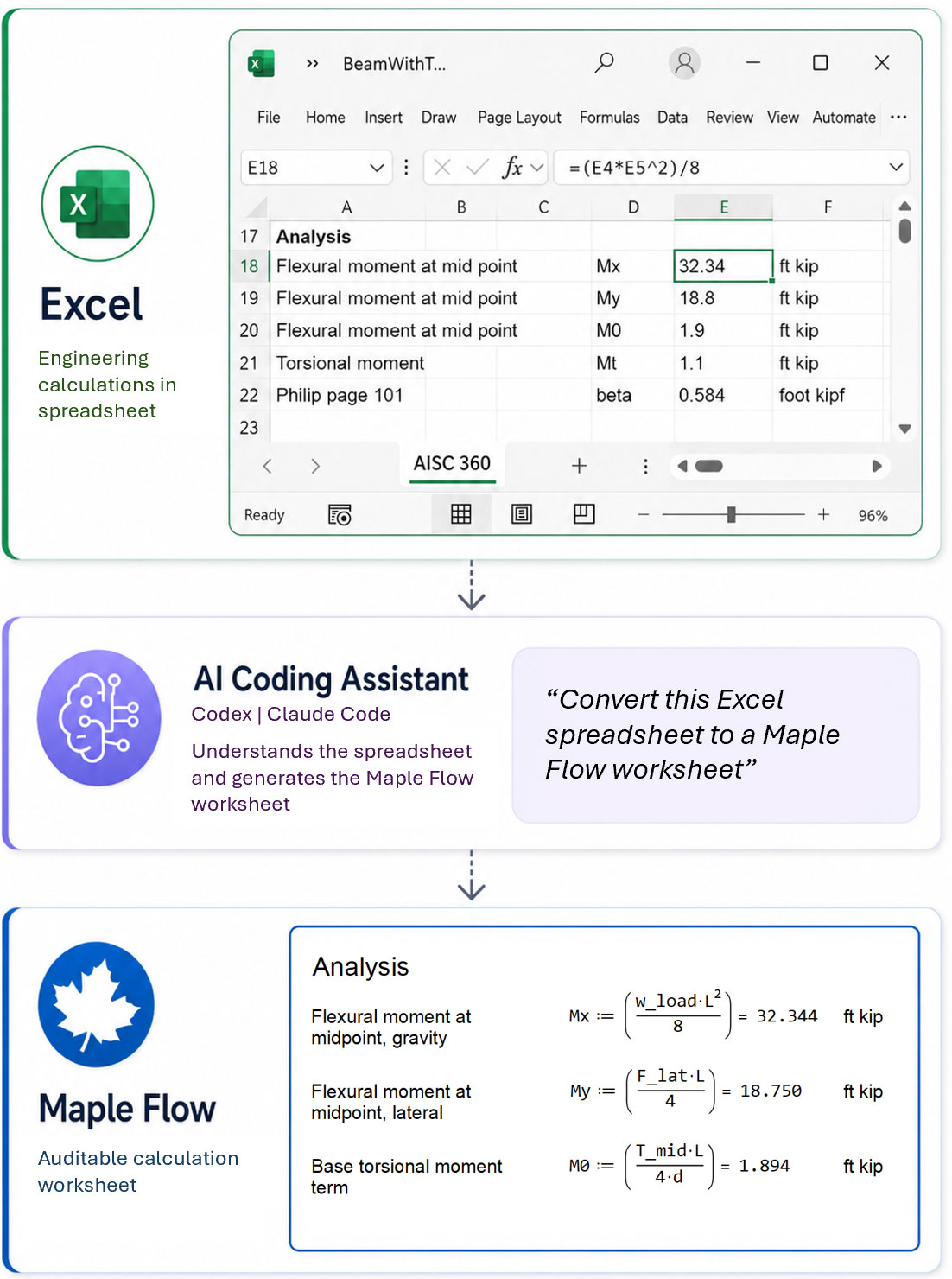
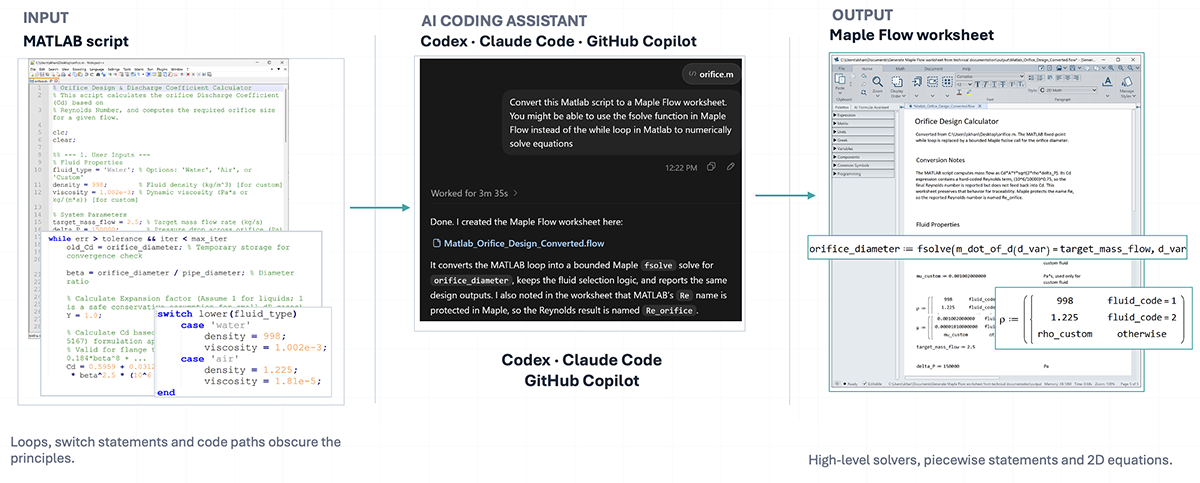
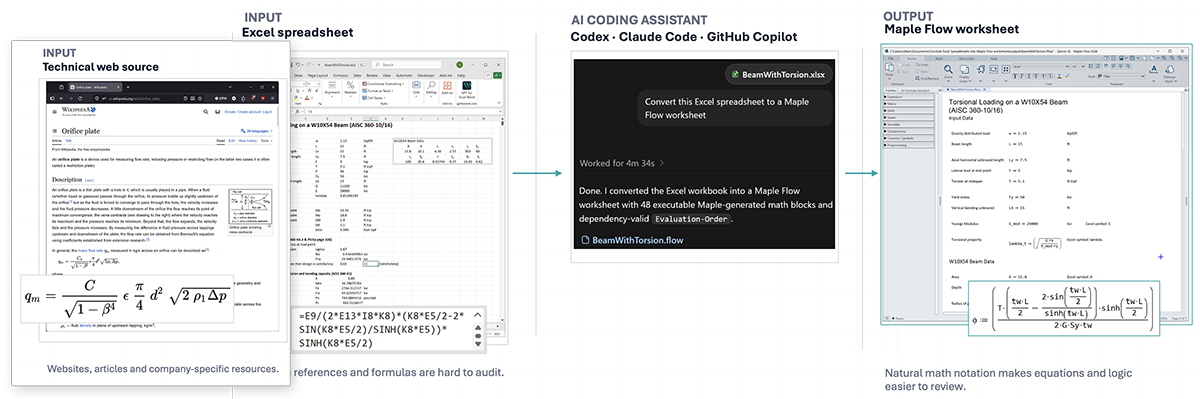
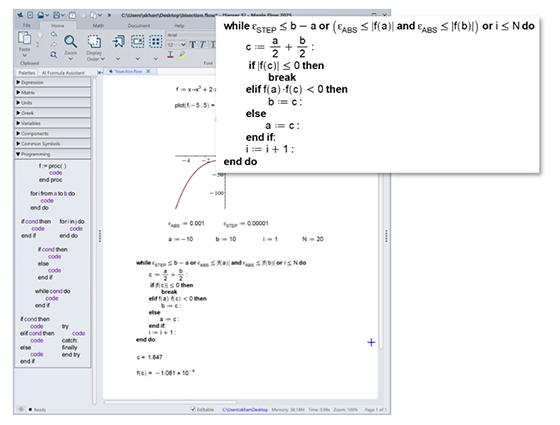
Get more value and insights from your critical design worksheets and pass your results into other software tools with new features available in Maple Flow 2025.2.
  • Run Maple Flow worksheets from Python
    The new Python integration lets you execute Maple Flow worksheets directly from Python scripts. Modify parameters inside a worksheet, run it, and extract the required results - all within a Python workflow.

    Worksheets can be executed using the Python distribution bundled with Maple Flow or any external Python distribution.


  • Run Maple Flow worksheets in parallel for parameter sweeps
    Maple Flow 2025.2 enables worksheets to be executed multiple times in parallel, each with different parameter values. This allows parameter sweeps to run much faster and supports rapid exploration of large solution spaces.

    Intensive worksheets can be evaluated simultaneously, reducing overall computation time. Parallel execution is fully automatic and requires no special programming.


Other new usability features:

  • Print Extents can now be set globally for all sessions, or just for the current session.
  • PDF export now respects custom fonts - any user-installed fonts used in the worksheet will appear correctly in the exported PDF.
  • Numerous performance improvements across the product.
  • Fixes to many user-reported issues.


Available to: All Maple Flow 2025 users.


Maple Flow 2025

Maple Flow 2025版本通过焕然一新的使用界面、智能格式化功能、AI工具、更广泛的连接选项,以及迄今最强大的数学引擎,将您的工程设计计算提升至全新水平。

专为工程师工作方式而打造!
  • 性能提升
    新版本Maple Flow显著增强了数学引擎性能,轻松满足您的计算需求。性能改进有助于完成复杂计算,例如矩阵运算和大型工作表的执行速度更快 — 通常可将计算时间减半!
  • 全新的功能区界面
    通过简洁的菜单标签页访问所有常用命令。
  • 操作项按逻辑分组,辅以直观的图标和标签,呈现清晰现代的风格。
  • 功能区提供关联支持:例如,点击工作区中的图形对象时,会出现新的“绘图”标签页,提供常用的交互操作。
  • 使用目录组织工作表内容
    一键生成目录(TOC),通过识别预设的文本样式,创建含 超链接与页码 的导航目录。导出为PDF文件时,所有内嵌目录链接将完整保留,您可放心分发精美的结果和报告。
  • 扩展的符号面板
    应广大用户需求,新增“常用符号”面板,可直接点击将数学符号和运算符插入当前工作表中。轻松获取布尔条件运算、相量角、集合符号元素、等等。
  • AI公式助手让计算更便捷
    使用软件内置的AI工具搜索工程和科学公式,节省查找常用方程的时间。AI公式助手基于第三方大语言模型搜集相关公式及注释说明,帮助您筛选和锁定所需的信息,并快速将匹配的方程插入工作表进行计算。
扩展工程分析的覆盖范围
  • 将整个Maple Flow工作表转为函数
    现在可直接在Maple或其他Maple Flow文档中执行Maple Flow工作表,通过命令行传递输入参数并获得输出结果,同时保持简洁性和可读性。该功能简化了参数研究与优化,便于设计团队之间传递深度分析文件和模板。
  • 在Excel®内调用Maple Flow分析功能
    Maple Flow的Excel插件支持在Excel表格内直接从公式栏运行Maple Flow工作表。通过简单的表格界面,非技术人员可在Excel中调用深度分析功能,无需编写代码即可定义输入输出。高级用户可在Excel中编写公式调用Flow工作表,并利用Excel工具进行参数扫描、分析和优化。
  • 迁移旧版Mathcad®文件至Maple Flow
    Maple Flow迁移助手是Maple Flow 2025 的免费插件,可协助自动转换Mathcad 13/14/15的工作表内容。该工具支持单文件和批量转换选项,用于挽救2021年12月停售后的.xmcd格式设计工作表。此工具对于简单至中等复杂度的计算表可显著节省时间,Maplesoft工程服务团队还提供迁移服务。
其他新功能:
  • 响应式方程编辑能力,使用键盘输入方程更为简便。
  • 输入数据时,大型矩阵现在可滚动显示和调整大小。
  • 单位感知的舍入功能可根据所用单位对结果进行一致格式化。

适用对象‌:在维保期内的Maple Flow用户可以免费获得新版本。(维保期外的用户可联系Maplesoft 销售人员联系Maplesoft 销售人员获取升级)。

了解 Maple Flow 以往版本新增功能
准备好进行下一步了吗?
立即下载免费试用版


如何购买/许可选项